


How do I Complete my Business Activity Statement?
Your Business Activity Statement can be completed online at ATO's Business Portal or using a hard copy Business Activity Statement Form provided by the ATO. The basic process is the same for both and simply requires you to transfer amounts from your BAS-I.C account calculations to the matching BAS Codes in the ATO form.
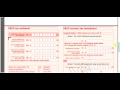

How do I Complete my Business Activity Statement Video
- Open your BAS-I.C account and click the required reporting period to check that all transactions for the period are recorded. To check repetitive account transactions across months click Search
 (beside the account buttons) to activate Search Account Mode and then click the account button to search for. Transactions for the active period that match the account will be displayed. To search for specific characters in a transaction use the search box beside .
 - Click to display the BAS Calculations for the period and BAS Codes. The underlying calculation for each amount is displayed on mouseover. BAS Codes align with BAS form inputs.
- In your BAS Form (either hard copy or online via the business portal) input required amounts as calculated for the corresponding BAS Code in the BAS calculations. Only whole dollar amounts should be used.
- The Goods and Services Tax (GST) section applies if you are GST registered. This calculates your GST liability. It is basically the difference between the amount of GST you have collected (G9) and the amount of GST you have paid (G20). If the GST Balance (G9 - G20) is positive you have collected more GST than you have paid and need to pay the difference to the ATO. If the GST Balance (G9 - G20) is negative you have collected less GST than you have paid and the ATO will pay you the difference.
- The Pay as You Go (PAYG) Income Tax Withholding (ITW) section applies only if you have employees. If you have selected Include Wages the BAS calculations will include wages BAS codes.
- The Pay as You Go (PAYG) Income Tax Installment (ITI) section is your income tax for the period. This amount is determined by the ATO.
- From these the Amount you owe the Tax Office less the Amount the Tax office owes you is calculated. This is your ATO Payment or Refund amount for the period. If you are submitting online these amounts will be automatically calculated.
- If you are completing the hardcopy form you will need manually calculate the amounts. The Amount you owe the Tax Office is determined as the amount of GST you have collected (1A/G9) + the PAYG Income Tax Withheld (W2 + W3 + W4) + your PAYG Income Tax Installment. The Amount the Tax Office owes you is determined as the amount of GST you have paid (1B/G20).
You should maintain a copy of your BAS submission and supporting documentation.
From your BAS-I.C account you can:
- Print
 or Email
  a copy of your BAS Calculations in .
 - It is recommended you
 Backup all transactions and set up to a local text file. This can be
  Restored at any time.
 - To save just the active period transactions use
 Export or
  Archive. Export saves active period transactions to a local CSV file. CSV files are easily displayed in a spreadsheet i.e Excel or a text editor. This includes transactions only (no account set up).
  Import allows you to load transactions from a previously exported csv file. Archive saves active period transactions (revenue and expense) and set up to a local text file and removes transactions from current data. This will give you a file with just your active period transactions and account set up that can be Restored at any time.
 - Alternatively
 Share saves all transactions and set up data in a html (web page) file that can be shared with others as a saved file or email attachment and acts as a transaction record.
See BAS-I.C Topics for additional topic help pages and BAS-I.C Videos for a full list of video tutorials.